Apache HTTP 基础服务器搭建
准备工作:
- 本地yum源仓库配置
- 安装httpd并启动
- 配置SELinux以及防火墙
项目实施:
- yum源仓库配置请看 dvd.repo
- 安装httpd并启动
bashdnf install httpd -y systemctl start httpd
- 配置SELinux和防火墙
bashsetenforce 0
firewall-cmd --add-service=http
#如果无法访问请打开80端口
firewall-cmd --add-port=80/tcp
- 重启服务并访问127.0.0.1
bashsystemctl restart httpd
- 结果为初始apache页面
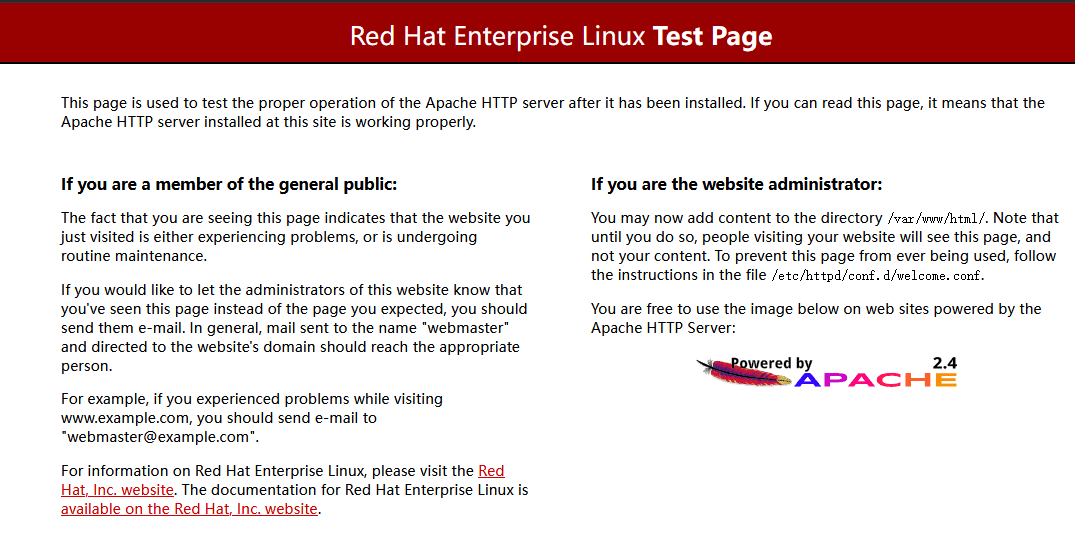
以下为进阶型应用
修改根目录
- 打开主配置文件httpd.conf(/etc/httpd/conf/httpd.conf)
bashvim /etc/httpd/conf/httpd.conf
修改为以下内容
bash#目标目录:/home/www
DocumentRoot "/home/www" #122
#127:131
<Directory "/home/www"> #主要改为目标目录
AllowOverride None
# Allow open access:
Require all granted
</Directory>
#166:168
<IfModule dir_module>
DirectoryIndex index.html newind.html #添加新索引文件可自行选择
</IfModule>
添加任意内容至/home/www/newind.html
bashecho "here is new index.html,a new directory and a new page" > /home/www/newind.html
验证结果
bashcurl 127.0.0.1
#返回"here is new index.html,a new directory and a new page"则成功